Routine documents, carefully prepared
Less starting again. More getting it right.
Prepare a letter from your agency’s approved template. See which facts are missing, review the wording and download the exact version you approved.
AdminProp · Part of the ModelProp family
Example Harbour Agency · fictional
A reviewed letter with its earlier versions preserved.
- 01Start from a templateAgency-approved template
- 02Fill the missing factsReady for staff review
- 03Keep the exact versionReviewed copy example
A worked example of the first workflow. No real agency actions.
See the work, step by step
Here’s what AdminProp is for.
Explore this fictional example. These controls explain the workflow; they do not open a live customer workspace.
Illustrative example · 1 of 3
The right starting point
Use your agency’s approved wording, with the selected property and recipient kept in view.
- Template
- Routine property update · example
- Property
- 12 Harbour Lane · fictional
- Recipient
- Sam Example
Agency-approved template
The first workflow
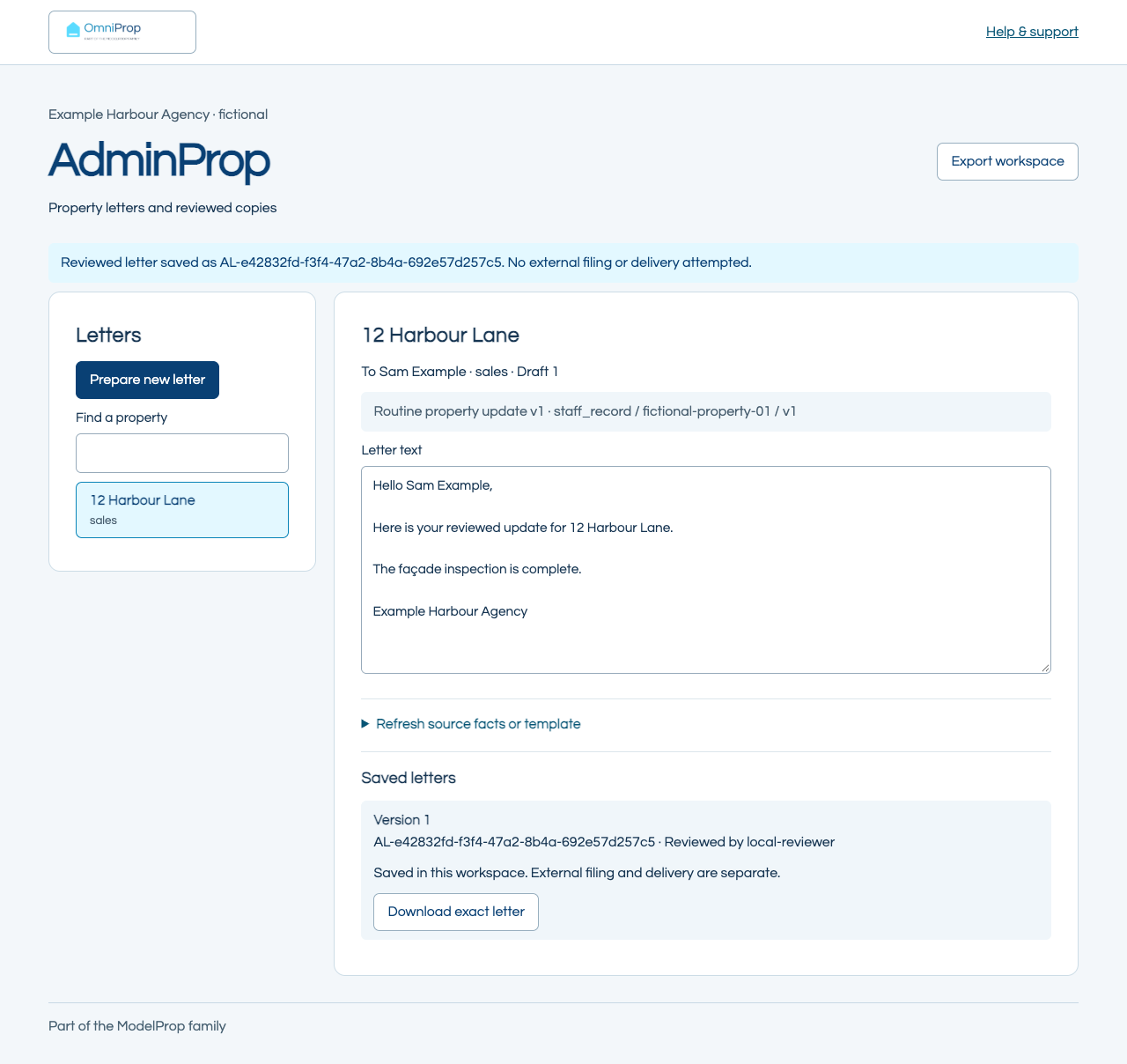
A reviewed letter with its earlier versions preserved.
- Start with an approved agency template and the relevant property facts.
- See missing information before treating the letter as complete.
- Review, save and download the exact letter, with a reference and version history.
Inside the workflow
A place to review the details.
Captured from the first example workspace using fictional information. Your agency’s access and connections are verified separately.
A straightforward next step
One launch workflow. One company price.
Pricing uses your company’s total property count, not the number of branches. The service scope stays the same across the size bands.
£149 / month + VAT
One reviewed workflow, with the same capabilities at every company size.
New monthly plans: an initial 3-month commitment, billed monthly from the agreed service start.
Review AdminProp in OmniPropAvailability, company count, partner status and setup history are checked in your signed-in order review before payment.
Count each home once across the company, including open or agreed instructions and actively managed homes. Standard enquiries, letters, jobs and chases are included. Up to 120 properties starts at £149 + VAT / month.
Starting rate shown. Enter your count for a company estimate, or continue to order review.
How the company bands work
Up to 120 properties: standard rate. 121–400: 1.75×. 401–1,200: 2.5×. 1,201–2,400: 3.25×. Each further started block of 1,200 adds 0.75× the standard rate.
New business monthly paid plans have an initial three-month commitment from the agreed service start, billed monthly. Give notice during that period to end at its end; afterwards plans renew monthly with 30 days’ notice to the next eligible renewal. Annual plans retain their 12-month commitment; existing agreements retain their accepted terms. Read the business terms.
One agency foundation. Setup history remembered.
OmniProp Base is £499 + VAT one-off, with no recurring platform charge. It includes product setups added in the first fixed 30 days. After that, the first two new standard product setups are £249 + VAT each (£498 + VAT for both). The first later payment opens a fixed 30-day window; further standard setups after the second are included within that same window. The second payment does not extend it. Product subscriptions are separate. Your signed-in order review checks recorded setup payments and partner status; it must not charge the same setup twice. Existing agreed terms remain protected.
Data, Equity and Venture Partner discounts are verified from your agency’s actual status before the quote. Entering an estimate or visiting this page does not establish a discount or a purchase.
A few useful answers
Before you get started.
Will it replace our CRM?
No. This is a focused document preparation and review workflow. Core agency records and existing CRM functionality stay with their actual systems.
Can it send or file the letter?
The first workflow gives you the exact reviewed download. Sending and external filing require separately verified connections and permission.
Where do we manage our agency and products?
Your agency profile and connected product access live in OmniProp. A free profile is separate from buying a product or being granted access to an agency workspace.
Open OmniProp